


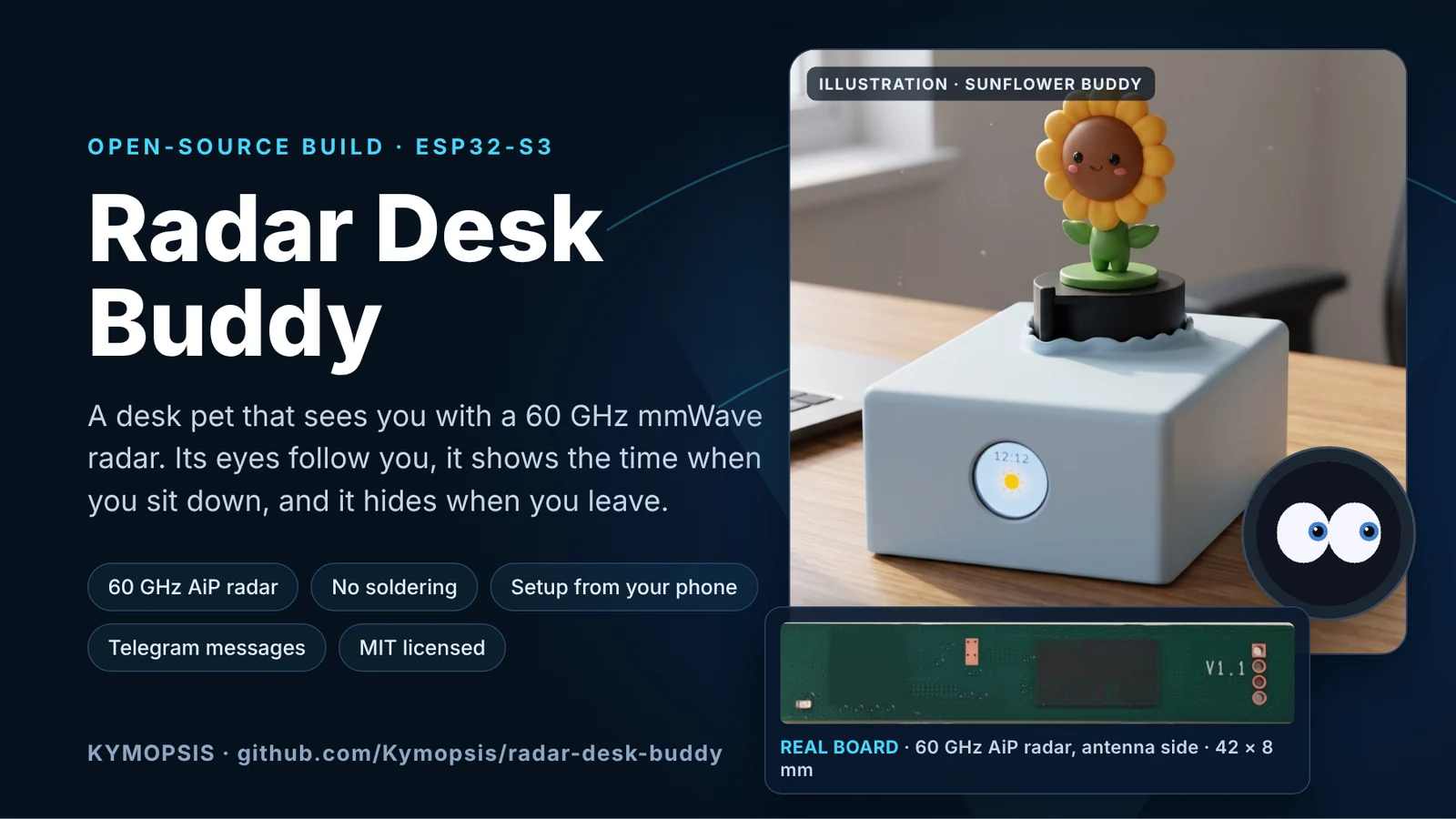
Radar Desk Buddy is a small desk companion built on an ESP32-S3 and a 60 GHz mmWave radar. When you walk around the room, its little figure turns to face you and the eyes on its round screen follow you. When you sit down at the desk, it shows the local time and weather. When you leave, it hides and the screen goes to sleep. There is no camera and no cloud service. All of this comes from the radar’s angle and distance readings.
The whole project is open source on GitHub under the MIT license: github.com/Kymopsis/radar-desk-buddy. Everything plugs together with Dupont jumper wires and lever wire connectors, so you can build it in an evening without a soldering iron.
GitHub · Kymopsis /radar-desk-buddyESP32-S3 desk companion with a 60 GHz mmWave radar: eyes and figure follow you, local time and weather, Telegram messages. No soldering.What it does
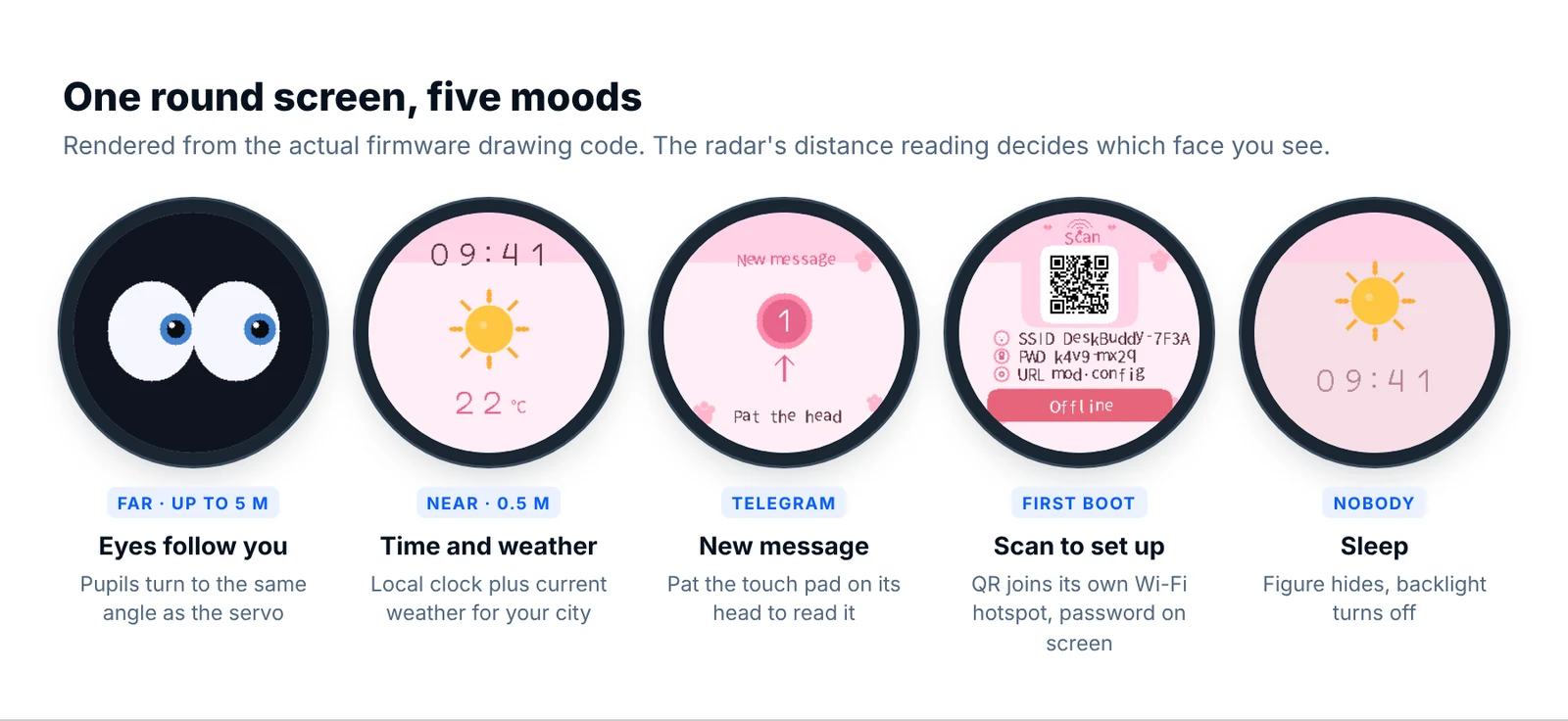
- Follows you. A pan servo turns the figure toward you, and the on-screen pupils look in the same direction. Because both use the same angle, it reads as one character instead of a screen bolted to a motor.
- Two distance bands. Within about 5 m it watches you with animated eyes. Within 0.5 m (you are at the desk) the screen switches to a clock and the current weather.
- Rises and hides. A second servo lifts the figure when someone shows up and lowers it about 10 seconds after the room is empty.
- Messages from your phone. Optionally, link a free Telegram bot. Messages you send appear on the screen, and you pat the touch pad on its head to read them.
- Setup in the browser. On first boot it shows a QR code. Scan it, join the
DeskBuddy-XXXXhotspot, pick your Wi-Fi and type your city. No app to install.
The screen images above are not mock-ups. They were rendered by running the project’s own drawing code (ui.c) on a PC, so they show exactly what the 240 × 240 display draws.
What it looks like on a desk
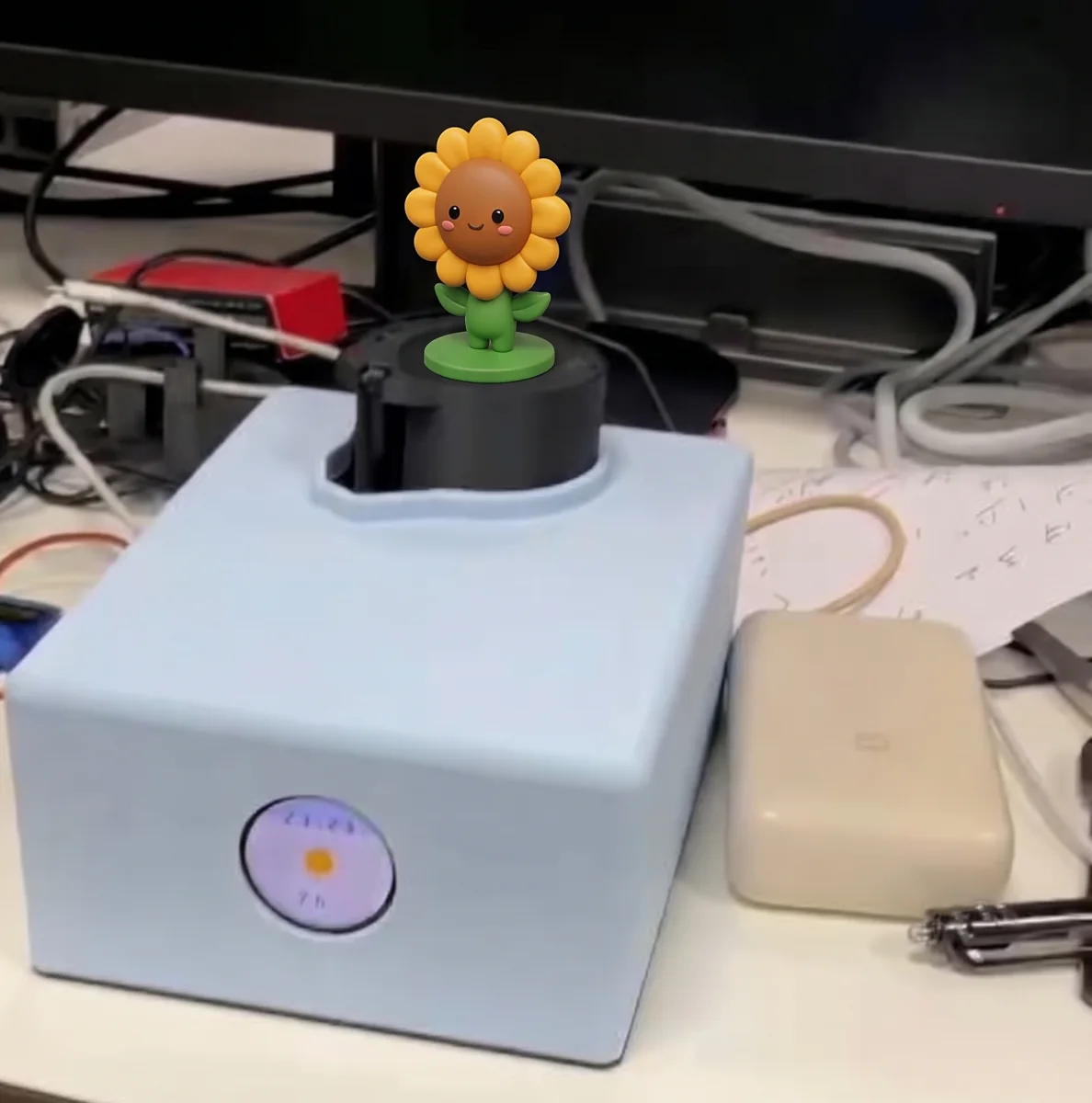
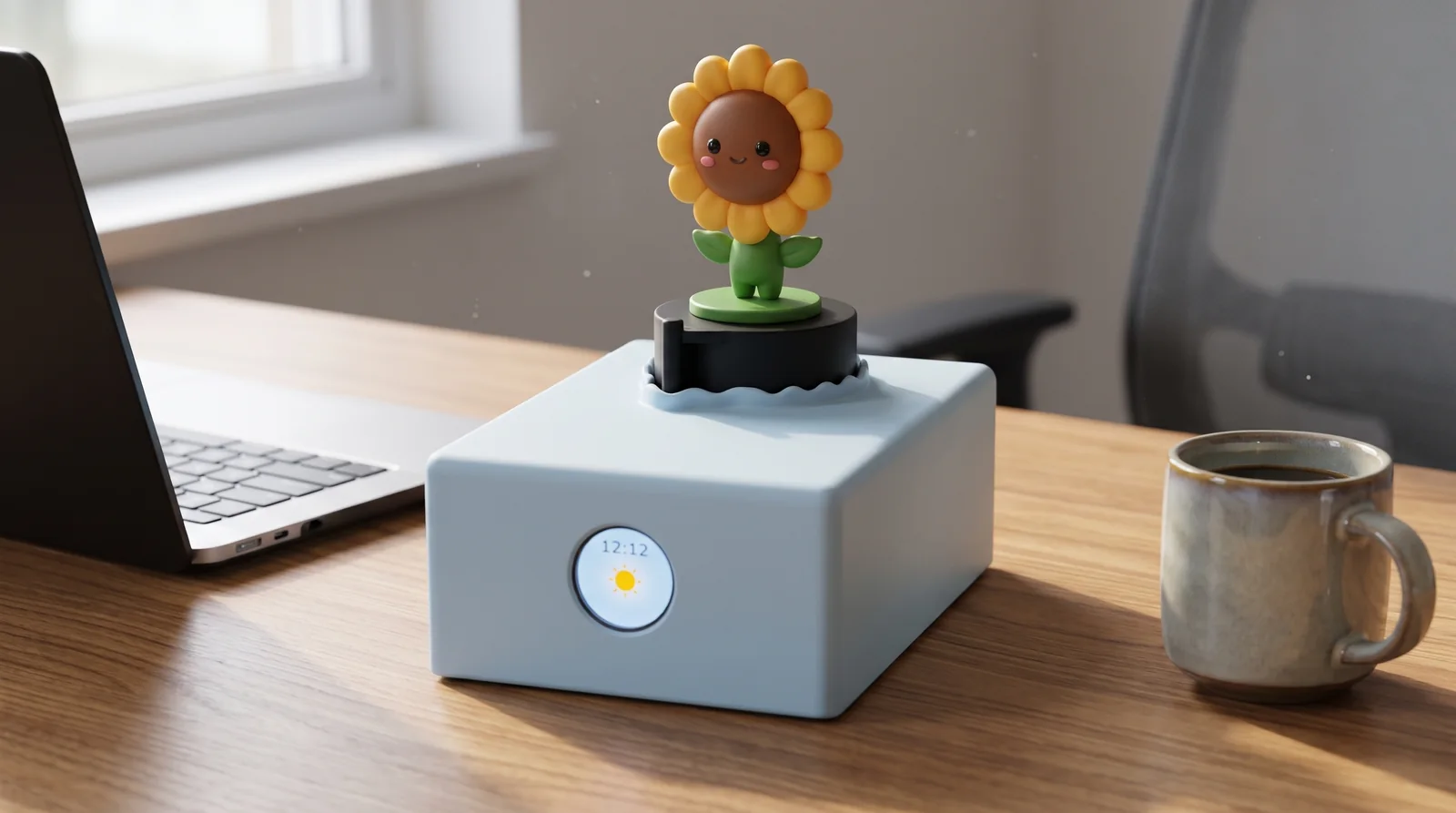
Our build is a light-blue 3D-printed box with the round screen on the front and a small figure standing on the servo turntable on top. Ours is a sunflower, the Kymopsis mascot, but any light figure that fits the turntable works.
Why a 60 GHz radar instead of a PIR sensor or a camera
A PIR sensor only tells you that something warm moved. Once you sit still to read or type, it reports nobody, and it has no idea where you are. A camera knows where you are, but it needs light and a lot of processing, and few people want a camera on their desk pointed at them.
A 60 GHz FMCW radar sits in between. The presence firmware on the radar reports each person as a target with coordinates in metres, so the ESP32 gets both the direction and the distance in a few bytes over UART. It works in the dark, it sees through a thin plastic enclosure, and it never produces an image. The antennas are built into the radar chip package (antenna-in-package, AiP), which is why the module is only about 42 × 8 mm.
How it decides what to do
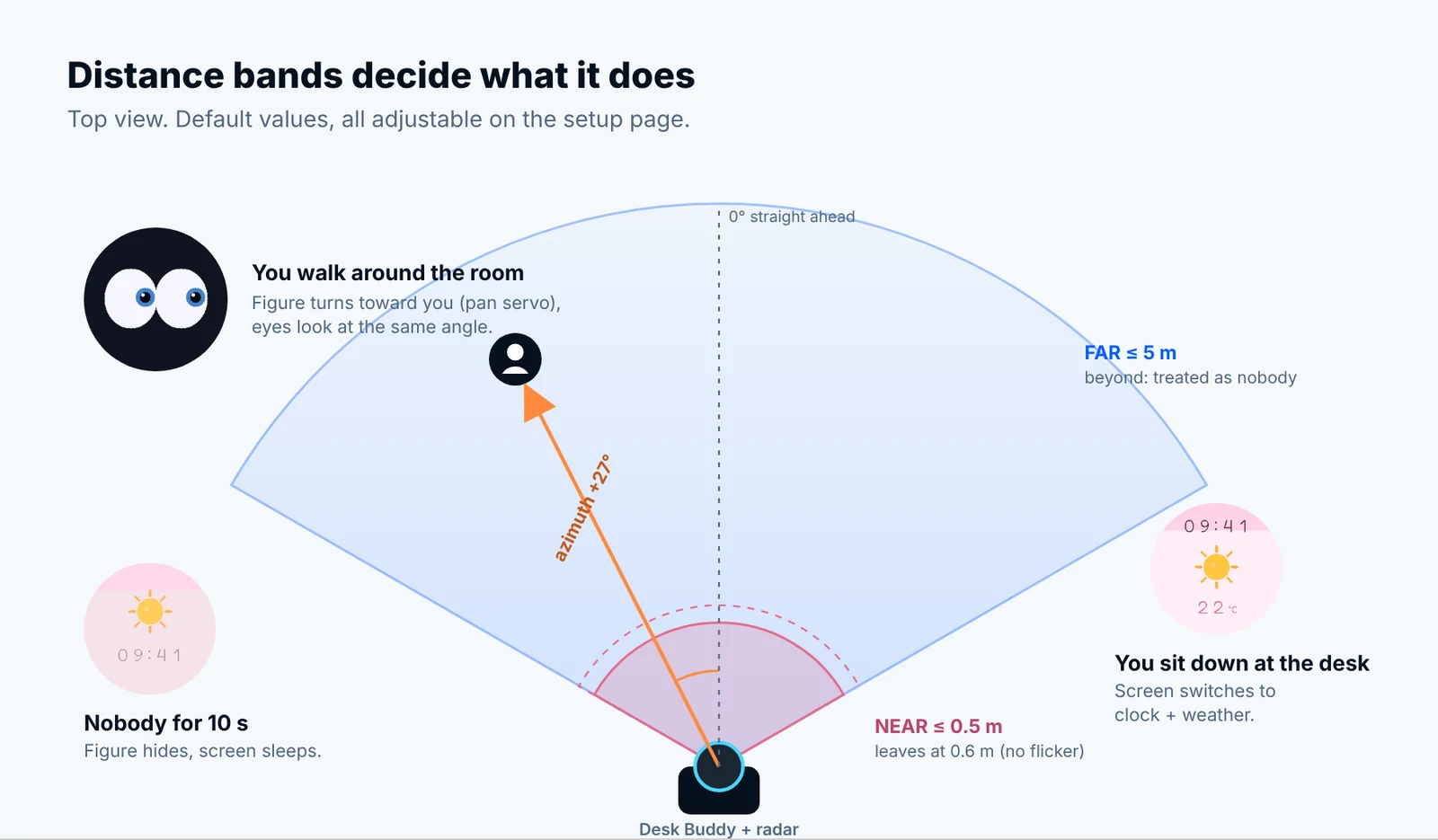
The firmware sorts the nearest person into one of three bands. The near band uses hysteresis: you enter it at 0.5 m but only leave it at 0.6 m, so the screen does not flicker between faces when you lean back in your chair. Every threshold here, along with the servo speed, the pan limit and the rise delay, can be changed live on the setup page.
| Band | Default distance | What you see |
|---|---|---|
| Near | ≤ 0.5 m (leave at 0.6 m) | Clock and weather, or “New message” |
| Far | up to 5 m | Eyes that follow the same angle as the pan servo |
| Nobody | none | Figure hides; backlight off after about 12 s |
From radar frame to a turning head
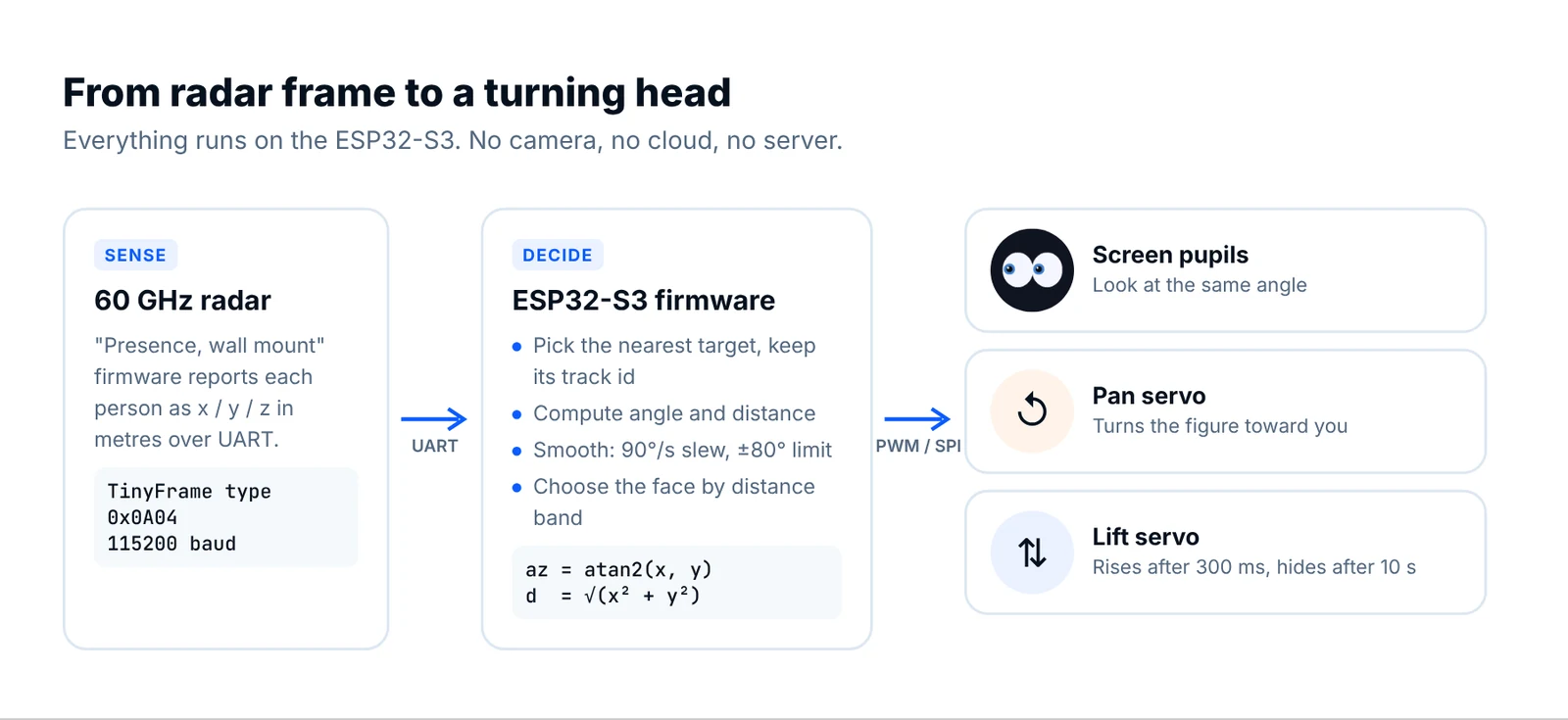
The radar sends frames in the TinyFrame format at 115200 baud. Frame type 0x0A04 carries the target list, with x (left), y (forward) and z (up) for each person. The ESP32 picks the nearest target, keeps following the same track ID while it stays visible, and converts its position into an angle and a distance:
azimuth  = atan2(x, y)      // 0° = straight ahead, positive = left
distance = sqrt(x*x + y*y)
The angle then goes through a slew limiter (90°/s by default) and a soft limit (±80°) before it reaches the pan servo, so the figure moves smoothly instead of twitching with every radar frame. The same smoothed angle drives the pupils on the screen. The decoder lives in firmware/components/radar_link/ and comes with a host-side test, so you can reuse it in your own radar project.
Parts list
These are the parts the firmware is written and tested for. The radar is the one part that really matters. Choose the “Presence, wall mount” firmware option on the radar kit page. It is the side-mounted 3D presence firmware that reports target positions. Both the DIY board and the development kit come with a connection lead that ends in female Dupont plugs.
| Part | Why | Link |
|---|---|---|
| 60 GHz AiP radar, “Presence, wall mount” firmware | Angle and distance of each person over UART | Radar kit |
| ESP32-S3 board, N16R8 | 16 MB flash and 8 MB PSRAM are required | ESP32-S3 N16R8 |
| 1.28″ round TFT, GC9A01, 240×240 | Eyes, clock and messages | Round display |
| 2 × micro servo | Pan (turn) and lift (rise/hide) | SG90 or MG90S |
| TTP223 touch sensor | “Pat the head” to open a message | TTP223 |
| AMS1117 3.3 V module | Clean, separate 3.3 V rail for the radar | AMS1117 |
| Dupont wires and lever connectors | No-solder signals and a 5 V / GND bus | Dupont wires · Lever connectors |
| USB-C PD trigger board (set to 5 V) and a PD charger ≥ 20 W | Power for the servos and the board | Any |
| 470–1000 µF capacitor (≥ 10 V) | Smooths servo current spikes | Any |
A 3D-printable enclosure is being revised and will be added to the repository soon.
Wiring without a soldering iron
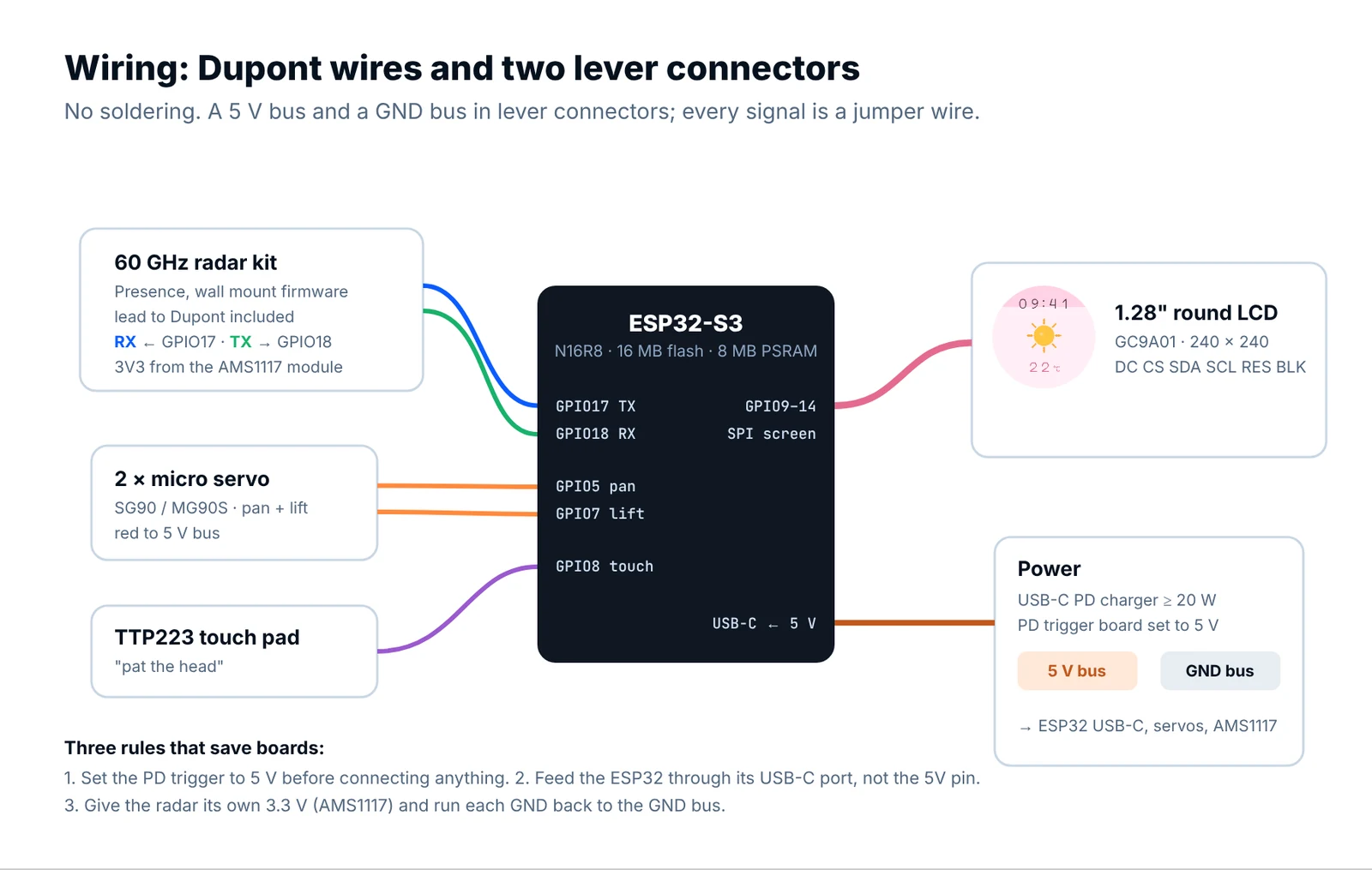
The signals are plain jumper wires. Power runs through two lever connectors used as a small 5 V bus and a GND bus. The full pin table is in docs/wiring.md. Three rules prevent nearly every problem people run into:
- Set the PD trigger board to 5 V before you connect anything. At 9 V or 12 V you will lose the servos and the board.
- Feed the ESP32 through its USB-C port, not the 5V header pin. On many boards that pin bypasses the input path, and you get a flickering screen or Wi-Fi dropouts.
- Give the radar its own 3.3 V from the AMS1117 module and run a separate ground wire from every part back to the GND bus. Servo current spikes should never flow through the radar’s ground, because clean power gives cleaner angles.
Mount the radar on the base, not on the moving figure, so the angle it measures does not rotate with the servo. If the figure turns away from you, there is a Flip pan button on the setup page.
Flash it and set it up
The firmware is an ESP-IDF v6.0.2 project. Build and flash it with idf.py flash; the steps are in docs/flashing.md. After that, everything happens on your phone:
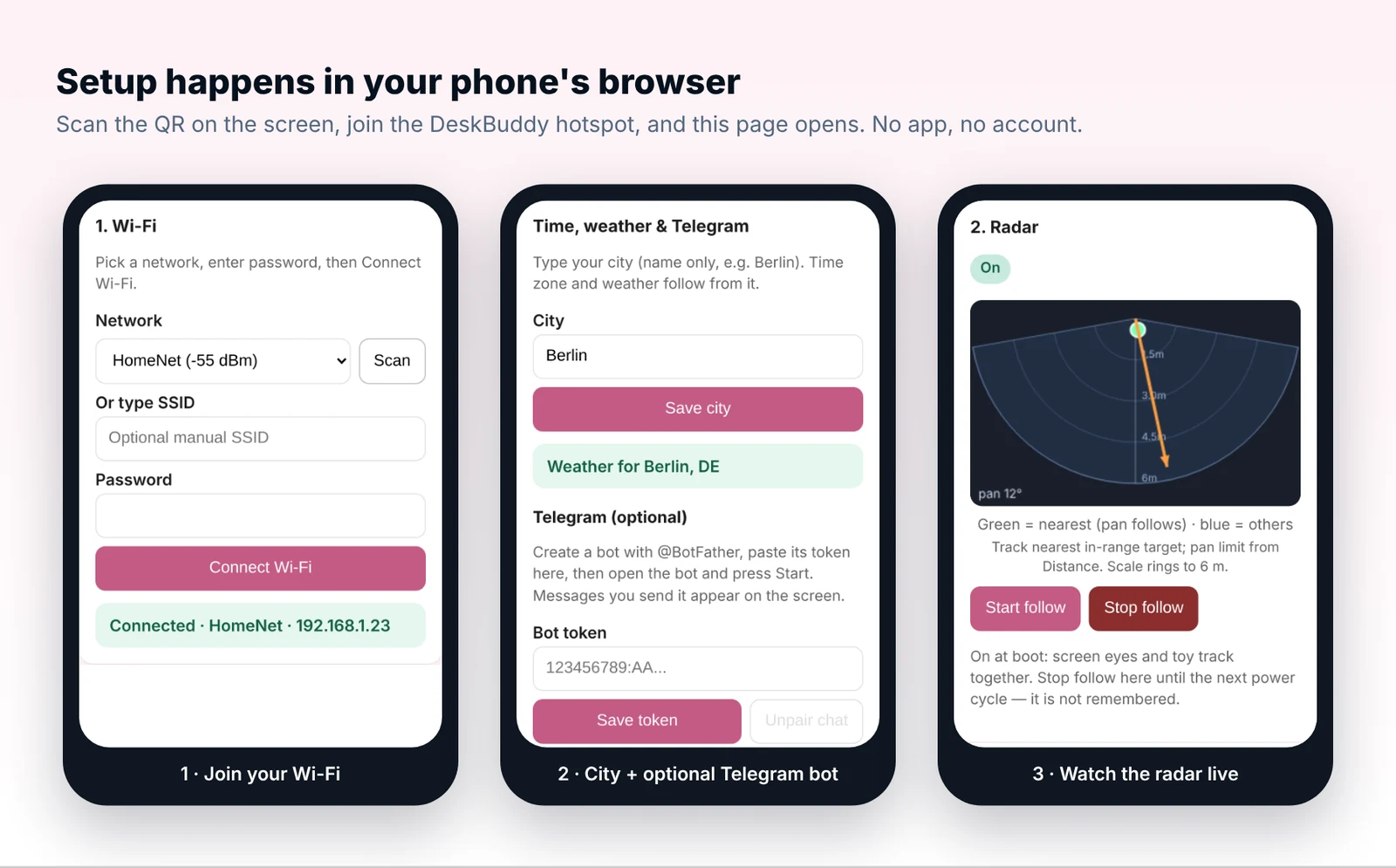
- Power on. The screen shows a QR code with the hotspot name and a password that is different on every device.
- Scan the QR code to join
DeskBuddy-XXXX. The setup page opens by itself, or go tohttp://mod.config. - Choose your home Wi-Fi and type your city. The time zone and weather come from the free Open-Meteo API, with no API key.
- Walk around the room and watch the live radar view on the setup page. Green is the person it follows.
Level 2: messages through Telegram
If you want to send it messages, create a bot with @BotFather and paste the token on the setup page. Then open the bot and press Start, and that chat becomes the only one the device listens to. The ESP32 talks to the Telegram Bot API directly over HTTPS, so there is no server to run. Messages show up as “New message”, and a pat on the head opens them. The guide is docs/level-2-telegram.md.
Make it yours
- Tune the bands for your room. A bigger near band works well on a standing desk.
- Swap the eye style or colors. The two built-in themes, pink and blue, live in
ui.c. - Reuse the radar decoder for something else: a presence-aware desk lamp, a monitor that sleeps when you leave, or a doorway counter.
- Wire the radar into Home Assistant. The angle and distance are already on the ESP32, so it is a short step to MQTT.
Get the code and the parts
The firmware, wiring guide and FAQ are on GitHub. If you build one, open an issue with a photo; we would love to see it. If you need a radar for a product, with your own firmware, housing or volume pricing, ask through the B2B form. On the radar kit page, choose the “Presence, wall mount” firmware.
GitHub · Kymopsis /radar-desk-buddyESP32-S3 desk companion with a 60 GHz mmWave radar: eyes and figure follow you, local time and weather, Telegram messages. No soldering.-
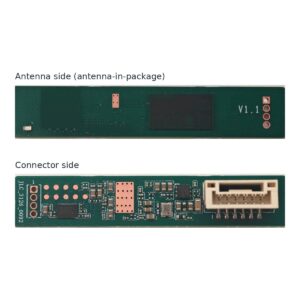
60 GHz AiP Gesture & Presence Radar Module Development Kit (57–64 GHz, 2T2R)
From $19.00DIY boardDevelopment kitReset optionsGesture recognitionPresence, ceiling mountPresence, wall mountSelect options This product has multiple variants. The options may be chosen on the product page -
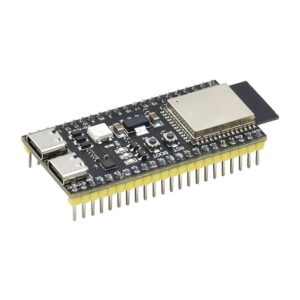
ESP32-S3 Development Board, N16R8, Wi-Fi + Bluetooth LE, Dual USB-C
From $8.99Reset options1 board3 boardsSelect options This product has multiple variants. The options may be chosen on the product page -
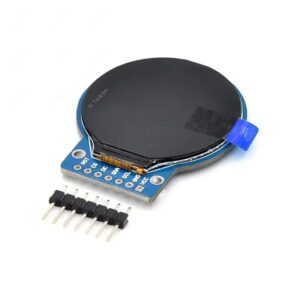
1.28 inch Round TFT LCD Display Module, GC9A01, 240×240, SPI
From $6.99Reset options1 display2 displaysSelect options This product has multiple variants. The options may be chosen on the product page
FAQ
Does Radar Desk Buddy record video or audio?
No. It has no camera and no microphone. The radar reports only the positions of nearby people as numbers, and nothing leaves the device unless you set up Telegram.
Which radar firmware should I order?
Order the 60 GHz AiP radar kit with the “Presence, wall mount” firmware. It is the side-mounted 3D presence firmware that reports target positions over UART, which is what the ESP32 code reads.
Do I need a server or a cloud account?
No. Levels 1 and 2 talk directly to NTP, Open-Meteo and, optionally, Telegram. An optional self-hosted server for pairing two buddies is planned for later.
What happens with two people in the room?
The radar reports several targets. The firmware follows the nearest one and keeps its track ID while it stays visible, so it does not jump back and forth.
Can I use a different ESP32?
The code targets the ESP32-S3 with 16 MB of flash and 8 MB of PSRAM (N16R8). Do not use GPIO 35–37 on those boards, because they belong to the octal PSRAM.
Radar outputs in this project are for hobby and development use. They are not a safety or medical device.